Buffer free plan for a restaurant: what you get and when to pay
This post contains affiliate links. If you buy through them we may earn a commission at no extra cost to you. Learn more.
Buffer has a free plan with no time limit. It lets you connect up to 3 social accounts, including a Google Business Profile, and it has no monthly post cap. The limit is how far ahead you can plan: 10 scheduled posts per account at any one time. This guide explains what that means for one local restaurant or cafe, using only Buffer's official pricing page and help center, checked October 3, 2026.
Metricool's free plan covers one profile on each network, including Google Business Profile(affiliate link)
- The free plan covers 3 channels. A typical restaurant set of Instagram, a Facebook Page and Google Business Profile fits exactly.
- You can hold 10 scheduled posts per channel at a time. As each one publishes, the slot opens again. There is no monthly limit.
- Only one person can log in. A second user needs the Team plan.
- Paid plans are priced per channel: Essentials is $6 per channel per month billed monthly, or $5 per channel per month billed yearly ($60 a year).
- Need a fourth network, such as TikTok, at no cost? Metricool's free plan covers one profile on each network, including Google Business Profile (affiliate link).
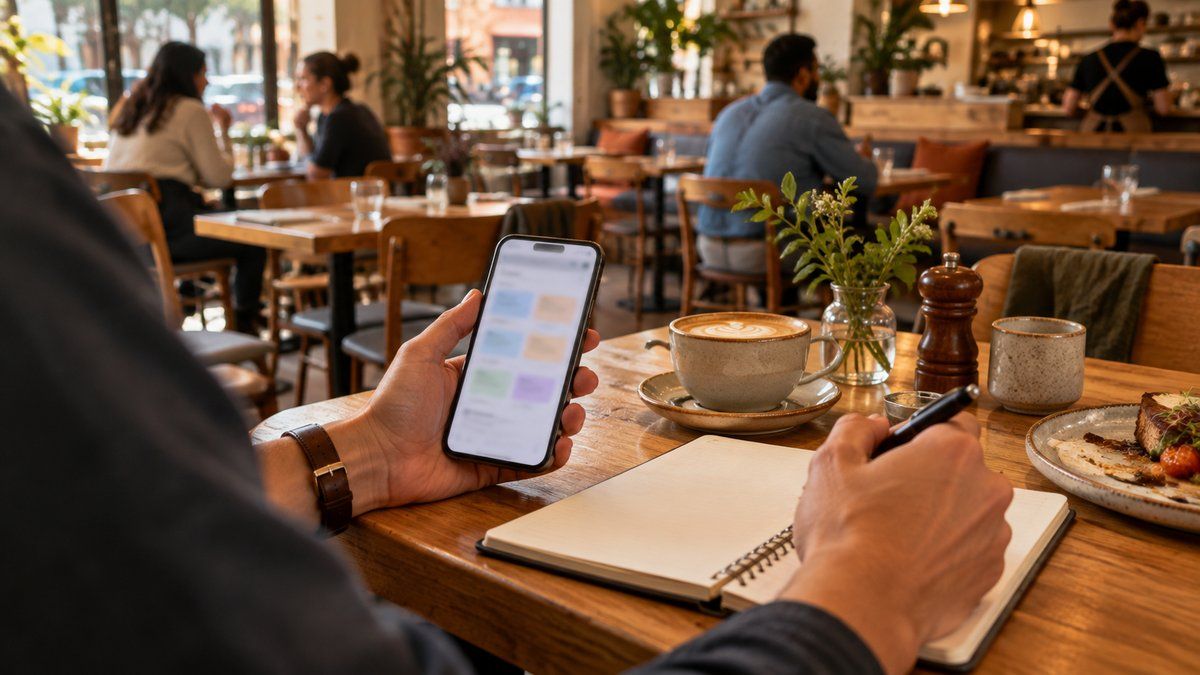
How Buffer social media scheduling works for a restaurant
Buffer social media scheduling is built around a queue for each channel. You write a post once, pick the channels, and then add it to that channel's queue or pick a time on the visual calendar. We re-checked Buffer's pricing page on October 25, 2026; the free plan limits and prices below are unchanged since our first check.
| Scheduling feature | Free | Essentials | Team |
|---|---|---|---|
| Scheduled posts per channel | 10 at a time (refill anytime) | Unlimited (fair use) | Unlimited (fair use) |
| Queue and visual content calendar | Yes | Yes | Yes |
| Reminder notifications (finish in the app) | Yes | Yes | Yes |
| AI Assistant for writing posts | Yes | Yes | Yes |
| First comment scheduling and hashtag manager | No | Yes | Yes |
| Approval workflows | No | No | Yes |
| Price for 3 channels | $0 | $15/month yearly, $18 monthly | $30/month yearly, $36 monthly |
Buffer's channel table lists automatic publishing for Instagram business and creator accounts, Facebook Pages, TikTok business profiles and Google Business Profiles. Instagram personal profiles and Facebook groups get reminders only.
If you would rather see every network on one calendar without a per-channel price, compare Buffer with our 5 scheduling tools for restaurants, or follow our step-by-step guides to scheduling Instagram posts and scheduling Google Business Profile posts.
What the free plan includes
Buffer's pricing page and help center list these limits for the free plan:
| Item | Free plan |
|---|---|
| Channels | Up to 3 connected at a time |
| Scheduled posts | 10 per channel at any one time (30 in total with 3 channels) |
| Users | 1 |
| Ideas | 100 |
| Analytics (Insights) | 30-day history |
| AI replies to comments | 5 suggestions per week |
| Saved replies | 1 |
| Not included | First comment scheduling, hashtag manager, custom video covers, reports, notes for teammates |
The free plan still includes the AI Assistant for writing posts, the content calendar, reminder notifications, the Canva integration, and the community inbox for replying to comments and Google reviews.
One thing to check: Buffer also has a lifetime limit of 8 channel connections on the free plan, counting accounts you later remove. Its "Buffer pricing and features" article says this is 8 unique channels in total. Its "Connecting your channels" article says 8 per social network. For one restaurant that rarely changes accounts, either version is unlikely to matter.
Buffer's free limit is per queue, not per month. Load up to 10 posts per channel, then top the queue up every week or two.
How the 10-post limit really works
This limit is easy to misread. According to Buffer's help center:
- It is not a daily, weekly or monthly limit. It is how many posts can wait in one channel's queue at the same time.
- Once a post publishes, its slot opens and you can add another.
- If you post once a day, 10 slots let you plan about 10 days ahead on that channel.
- Each channel has its own 10 slots, so a full Instagram queue does not block your Google posts.
Paid plans say "unlimited" scheduled posts. Buffer's fair use policy caps this at 5,000 posts per channel.
An example month for a small cafe with 3 channels: 12 Instagram posts (about 3 a week), the same 12 copied to a Facebook Page, and 4 Google Business Profile posts (one a week). That is 28 posts in the month, and the free plan allows all of them. The catch is planning: Instagram and Facebook can each hold only 10 posts at once, so you cannot load the whole month in one sitting. You would schedule about 3 weeks, then come back once mid-month to add the rest.
Instagram, TikTok and Google: auto-publish or reminders?
Buffer publishes in two ways. With automatic publishing, the post goes out on its own. With notification publishing, Buffer sends a push notification to its mobile app and you finish the post in Instagram or TikTok yourself. Buffer's pricing page says reminder notifications are included on the free plan.
- Instagram: automatic publishing only works for Business or Creator accounts. Personal accounts can only use notifications. Posts with music, Story links, Story text or stickers, product tags, collaboration posts or topics also switch to notifications, as do images or videos outside Instagram's accepted shape.
- TikTok: automatic publishing is available, but music, trending audio and polls need a notification post. Videos longer than TikTok's 10-minute limit are also sent as notifications. Buffer's pricing page table lists TikTok business profiles for both automatic and notification publishing.
- Google Business Profile: automatic publishing only. Buffer supports What's New, Offer and Event posts, with 1 image per post, up to 1,500 characters, and no videos or GIFs. Google does not allow phone numbers in posts, but you can add a button such as Book or Order online. Buffer does not offer analytics for Google Business Profile.
Important: a notification post does not publish unless you tap the alert and finish it. You need the Buffer mobile app installed with push notifications turned on.
When you would need to pay
Buffer's paid plans are priced per channel. Its help center lists these rates for the first 10 channels:
| Plan | Billed monthly (per channel) | Billed yearly (per channel) |
|---|---|---|
| Essentials | $6 a month | $60 a year ($5 a month) |
| Team | $12 a month | $120 a year ($10 a month) |
For a restaurant with 3 channels, Buffer's pricing page shows Essentials at $18/month billed monthly or $15/month billed yearly, and Team at $36/month or $30/month.
About the yearly discount: the pricing page says yearly billing saves "2 months," while the FAQ on the same page says it is a "20% discount." The listed prices ($60 a year against $6 × 12 = $72) match the "2 months" wording.
A few more things to know before upgrading:
- When you upgrade, you pay for every connected channel, including the 3 that were free.
- Essentials removes the 10-post queue limit and adds unlimited analytics history, reports, first comment scheduling and the hashtag manager. It still allows only 1 user.
- Team adds unlimited team members, approval workflows and access controls.
- Both paid plans have a 14-day free trial. Buffer says the trial runs on the Team plan, and if you do not add payment details you move back to Free.
- Buffer offers a 50% discount on paid plans for nonprofits, and says its pricing was last updated in November 2025.
How it compares with Metricool Free
Metricool's free plan works the other way round. It covers 1 brand with 1 profile per network, including Google Business Profile, but caps you at 20 published posts a month across all networks. Buffer Free has no monthly cap but limits you to 3 channels and 10 queued posts per channel. If you post often on three channels, Buffer's free limits are usually easier to live with. If you want more than 3 networks and post less often, Metricool Free may suit you better. Metricool's Starter plan is $20/month billed yearly or $25 billed monthly (re-checked October 25, 2026). Open a free Metricool account and compare it with Buffer (affiliate link).
Who the Buffer free plan is for, and who it is not for
Buffer Free is likely enough if:
- You run one location with 3 or fewer accounts, such as Instagram, Facebook and Google Business Profile
- One person handles social media
- You are happy to top up your queue every week or two
- You only need the last 30 days of results
You will probably outgrow it if:
- You want a fourth account, such as TikTok on top of the three above
- You like to plan a whole month at once on a channel you post to often
- A manager or staff member needs their own login (that needs Team)
- You want reports or analytics older than 30 days
Summary
For one local restaurant with up to 3 accounts, Buffer's free plan covers regular posting at no cost, including Google Business Profile posts, with no monthly post cap. The real limit is 10 queued posts per channel, so plan to top up your queue every couple of weeks. If you need a fourth channel or longer planning, Essentials costs $6 per channel per month, or $5 billed yearly. If you need a second login, look at Team.
Last checked: October 3, 2026
Sources
- Buffer, "Pricing" (plan prices, feature comparison, supported channels table, FAQs), checked October 3, 2026: https://buffer.com/pricing
- Buffer, "Buffer Pricing" (text version of the pricing page, with per-channel rates and example costs), checked October 3, 2026: https://buffer.com/pricing.md
- Buffer, "Buffer Pricing" (re-checked: plan limits, feature comparison, channel table, FAQ), checked October 25, 2026: https://buffer.com/pricing.md
- Metricool, "Pricing," checked October 25, 2026: https://metricool.com/pricing/
- Buffer Help Center, "Buffer pricing and features," checked October 3, 2026: https://support.buffer.com/en-us/articles/buffer-pricing-and-features-6pJrOPuzIt
- Buffer Help Center, "How many posts can I schedule in advance?," checked October 3, 2026: https://support.buffer.com/en-us/articles/how-many-posts-can-i-schedule-in-advance-Kmy2IEecqm
- Buffer Help Center, "Connecting your channels to Buffer," checked October 3, 2026: https://support.buffer.com/en-us/articles/connecting-your-channels-to-buffer-HvWLgAJvL9
- Buffer Help Center, "Using Google Business Profiles with Buffer," checked October 3, 2026: https://support.buffer.com/en-us/articles/using-google-business-profiles-with-buffer-CWwIBEqMjj
- Buffer Help Center, "Scheduling Instagram posts, reels, stories, and notifications," checked October 3, 2026: https://support.buffer.com/article/657-scheduling-instagram-posts-and-reels
- Buffer Help Center, "Using TikTok with Buffer," checked October 3, 2026: https://support.buffer.com/articles/using-tiktok-with-buffer-oGEroY9Of2
- Buffer Help Center, "Using notification publishing," checked October 3, 2026: https://support.buffer.com/en-us/articles/using-notification-publishing-gvZQiMxVa2